How to Connect your Whatsapp to MessCat? (QR Integration)
Intro
Learn how to connect your WhatsApp account to Messcat using the QR code integration method, similar to how WhatsApp Web works.
Step
- Login: Access your Messcat account.
-
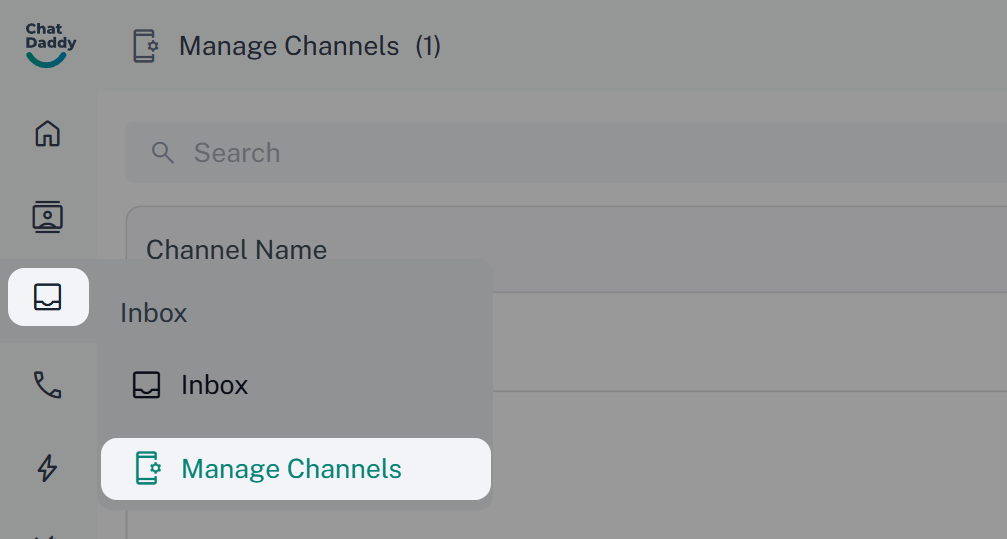
Go to Manage Channel: Find Manage Channel in the menu on the side.
-
Pick or Make a Channel:
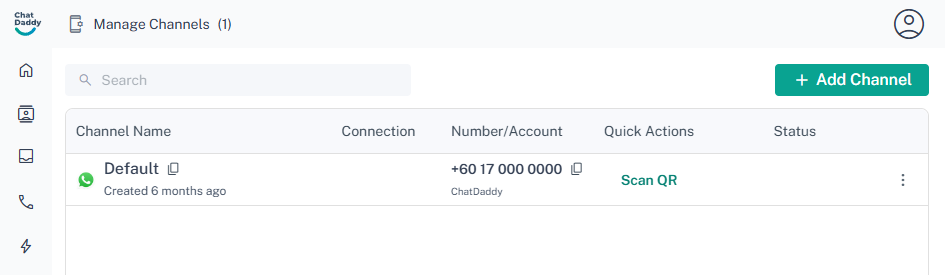
- Choose the channel you want to link.
- If you need a new channel, click 'Create New'. Important: If you use more than one channel, there will be a monthly fee or credits used.
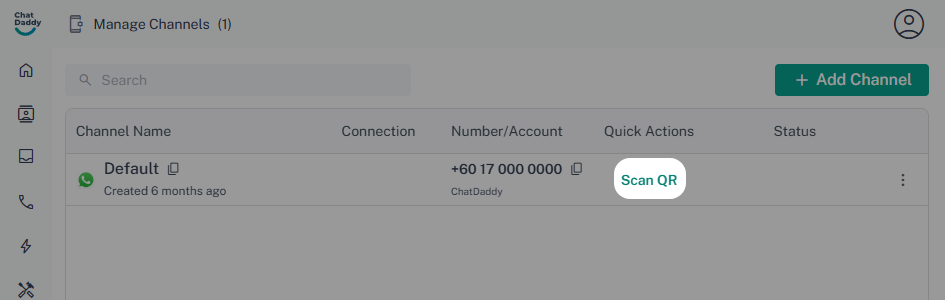
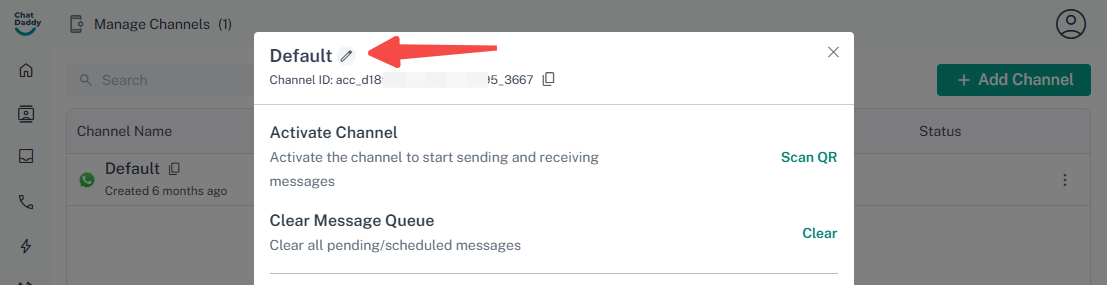
- Generate QR Code: Click the Scan QR button. A unique QR code will pop up on your screen, just like it does when you log in to WhatsApp Web.
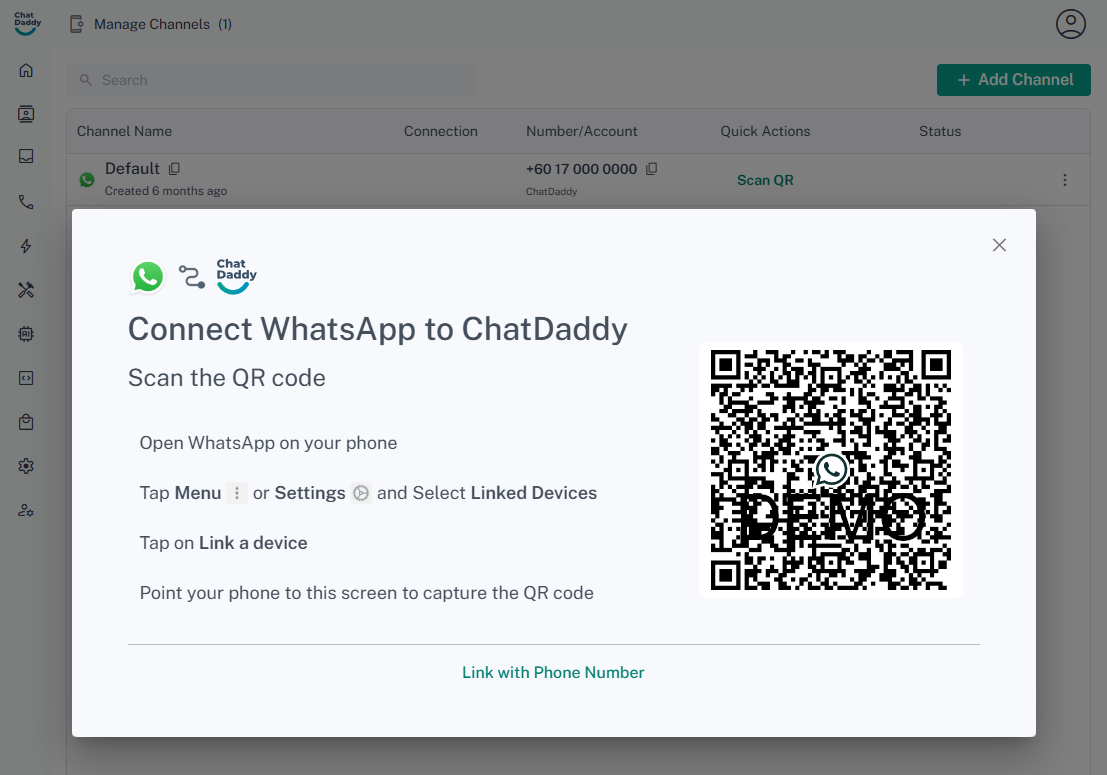
- Scan with WhatsApp:
- Open WhatsApp on your mobile phone.
- Go to Settings > Linked Devices.
- Tap on Link a Device.
- Point your phone's camera at the QR code displayed on your Messcat screen to scan it.
What Happens Next
After you scan the code, Messcat will start syncing with your WhatsApp. Wait about 5 to 10 minutes for your chats and contacts to show up. If you have lots of contacts or old messages, it might take more time.
FAQs
Why does it say "Waiting..."?
Answer: This means Messcat is still loading your old chat messages. Please wait. Don't worry or scan the QR code again and again. Scanning again won't make it faster.
Why don't Read/Unread marks match sometimes?
Answer: Sometimes WhatsApp doesn't tell Messcat right away when you read a message. Because of this, the read/unread marks might not always match perfectly between WhatsApp and Messcat. (Read more here: Understanding Chat Action Sync)
Helpful Tips
Using More Than One Channel?
If you link several WhatsApp numbers, give each channel a clear name (like "Sales Team" or "Support Line"). This helps you know which channel is which.
About Whatsapp Business API
To connect to Messcat using the Official Whatsapp Business API, go to the next section.