Replying to Comments Directly in Messcat (Instagram & Messenger)
Intro
Want to reply to your Instagram or Messenger comments directly from Messcat? Here's how!
Messcat lets you see and respond to comments on your posts, Reels, and live videos all in one place. This makes it easy to engage with your audience and build relationships.
Before You Start
- Connect Your Account:
- You need to connect your Instagram or Messenger account to Messcat.
- Have a Post:
- Make sure you have at least one post on your Instagram or Facebook page.
Here's How to Reply to a Comment
Step 1: Find the Comment in Your Inbox
- First, someone needs to leave a comment on one of your posts.
- Open your Messcat inbox.
-
You'll see the comment appear in a new chat with the person who commented.
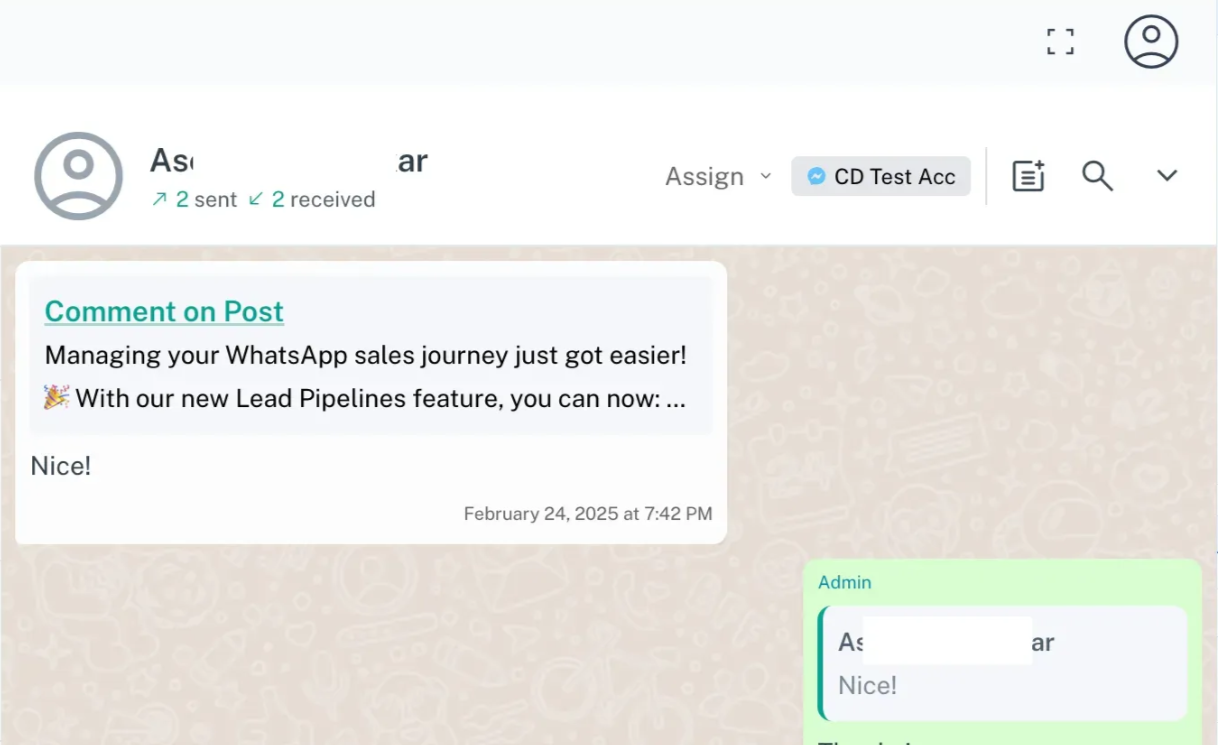
Step 2: Reply to the Comment
- In the chat, you'll see the comment they made.
-
Click the "reply" button.
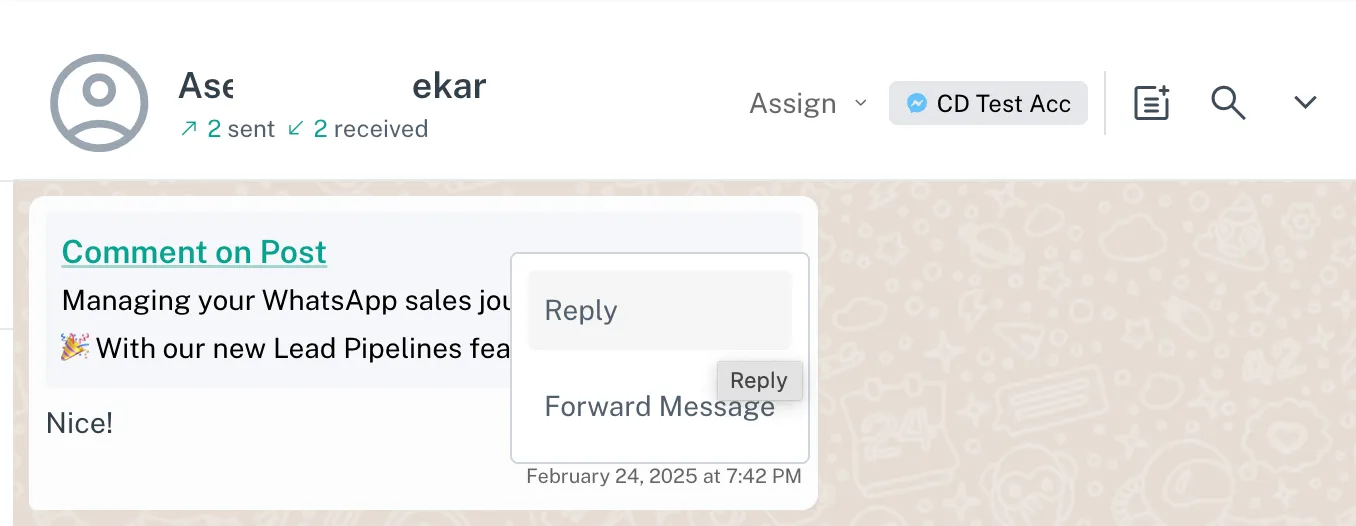
-
Type your message in the reply box.
-
Click "send".
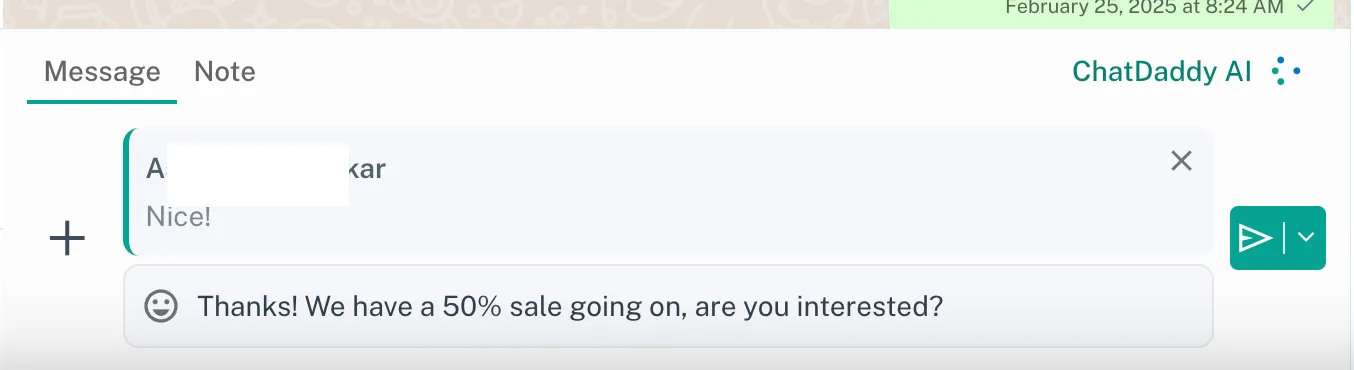
Important Things to Know
- Private Replies: Messcat sends your reply as a private message (DM) to the person who commented.
- No Public Replies (Yet): Right now, you can only send private replies. Public replies (replies that everyone can see under the comment) are not supported.
Why Use Messcat for Comment Replies?
- It saves you time! You don't have to switch between Instagram/Messenger and Messcat.
- It helps you keep all your conversations organized.
- It is a great way to start a private conversation with someone who has commented on your post.
Helpful Tips
Want to automate your comment replies? Try using our comment trigger feature!
Learn more at Automating Comments with Triggers (Instagram & Messenger)